Analysing Card Choices with Frequent Pattern Mining
Python
Pattern Mining
Market Basket Analysis
Web Scraping
MTG
Author
Derek Rodriguez
Published
November 19, 2024
In this post, I use frequent pattern mining or association rule mining, which is typically used for market basket analysis, in order to analyze card choices in more than a thousand user-uploaded decks. I will be using Python’s requests, beautifulsoup4, mtg_parser, and mlxtend packages to perform the main activities.
We’ve learned association rule mining in multiple courses in MITB (Customer Analytics, Data Science for Business) primarily for Market Basket Analysis. The same technique should be applicable outside retail, where the questions can be addressed by finding highly correlated items or sets of items.
Introduction
For those unaware, Magic the Gathering (MTG) is a trading card game that was released in 1993, and I have been playing it (casually) since 1995. There are a number of formats, or ways to play, in this game, but the most popular for a number of years now is Commander. The format requires each player to build a deck of 100 cards which is helmed by, and built around a “commander”.
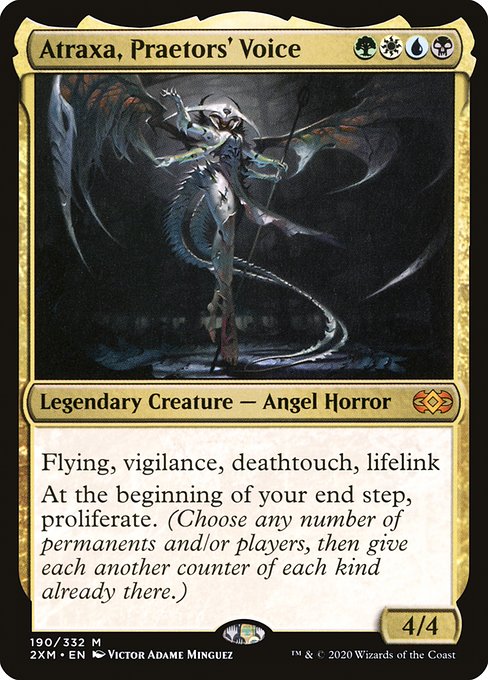
The most popular commander for the past two years, based on the site EDHREC.com, as of writing is Atraxa, Praetors’ Voice. EDHREC already provides an analysis of typical decklists in their site for Atraxa and other commanders, but I want to see if I can do my own simple analysis using Python.
At the minimum, I want to be able to find the typical cards that users include in the deck and see if I can use the techniques to identify different themes or builds and find any interesting card choices.
Getting the Decklists from MTG Goldfish Results pages
To perform any analysis, we need to get data, and for this one, we need data on individual decks for Atraxa. There are individual decklists uploaded in MTG Goldfish which we should be able to use. The only thing is that these lists are not contained in a single file, but are stored in separate pages– so the data needs to be scraped of the web.
For this task, we will first us the Python Requests package is a package for doing HTTP requests and is the “basic” package for web scraping. A request for a webpage is sent via the get() function which returns a Response object.
In the code chunk below, we pass the link to the search results page into get() and then check whether the request was successful. (based on a status_code value of 200) The webpage, or its source code, will be accessible via the text object in the response.
import requests# Define the URL for the search resultsurl ='https://www.mtggoldfish.com/deck_searches/create?commit=Search&counter=3&deck_search%5Bdate_range%5D=01%2F01%2F2022+-+11%2F15%2F2024&deck_search%5Bdeck_search_card_filters_attributes%5D%5B0%5D%5Bcard%5D=Atraxa%2C+Praetors%27+Voice&deck_search%5Bdeck_search_card_filters_attributes%5D%5B0%5D%5Bquantity%5D=1&deck_search%5Bdeck_search_card_filters_attributes%5D%5B0%5D%5Btype%5D=commander&deck_search%5Bdeck_search_card_filters_attributes%5D%5B1%5D%5Bcard%5D=&deck_search%5Bdeck_search_card_filters_attributes%5D%5B1%5D%5Bquantity%5D=1&deck_search%5Bdeck_search_card_filters_attributes%5D%5B1%5D%5Btype%5D=maindeck&deck_search%5Bdeck_search_card_filters_attributes%5D%5B2%5D%5Bcard%5D=&deck_search%5Bdeck_search_card_filters_attributes%5D%5B2%5D%5Bquantity%5D=1&deck_search%5Bdeck_search_card_filters_attributes%5D%5B2%5D%5Btype%5D=maindeck&deck_search%5Bformat%5D=&deck_search%5Bname%5D=&deck_search%5Bplayer%5D=&deck_search%5Btypes%5D%5B%5D=&deck_search%5Btypes%5D%5B%5D=tournament&deck_search%5Btypes%5D%5B%5D=user&page=1&utf8=%E2%9C%93'# Make an HTTP GET request to fetch the webpage contentresponse = requests.get(url)# Check if the request was successfulif response.status_code ==200: webpage = response.textprint("Page fetched successfully!")else:print("Failed to fetch the page:", response.status_code)
Page fetched successfully!
For web scraping, Beautiful Soup is helpful in navigating pulled webpages. Aside from being able to show the code in a more readable format, it is very useful in finding tags in the code which is what we will use it for here.
We first import the package, specifically the BeautifulSoup() function, and use it to convert the webpage results into a BeautifulSoup object.
from bs4 import BeautifulSoup# Parse the HTML contentsoup = BeautifulSoup(webpage, 'html.parser')
We then need to inspect the code to identify what it is that we need to get from the webpage. In our case we see that the decklist URL is stored within items tagged ‘a’ within ones tagged as ‘td’.
We test this using the code chunk below. Note that the decklist URL is actually just the suffix of the URL and not the whole URL.
As the approach was successful, we modify the preceding chunks of code to go through all 67 results pages to do the page request and then extracting the decklist URLs.
# Create the template urlurlstart ='https://www.mtggoldfish.com/deck_searches/create?commit=Search&counter=3&deck_search%5Bdate_range%5D=01%2F01%2F2022+-+11%2F15%2F2024&deck_search%5Bdeck_search_card_filters_attributes%5D%5B0%5D%5Bcard%5D=Atraxa%2C+Praetors%27+Voice&deck_search%5Bdeck_search_card_filters_attributes%5D%5B0%5D%5Bquantity%5D=1&deck_search%5Bdeck_search_card_filters_attributes%5D%5B0%5D%5Btype%5D=commander&deck_search%5Bdeck_search_card_filters_attributes%5D%5B1%5D%5Bcard%5D=&deck_search%5Bdeck_search_card_filters_attributes%5D%5B1%5D%5Bquantity%5D=1&deck_search%5Bdeck_search_card_filters_attributes%5D%5B1%5D%5Btype%5D=maindeck&deck_search%5Bdeck_search_card_filters_attributes%5D%5B2%5D%5Bcard%5D=&deck_search%5Bdeck_search_card_filters_attributes%5D%5B2%5D%5Bquantity%5D=1&deck_search%5Bdeck_search_card_filters_attributes%5D%5B2%5D%5Btype%5D=maindeck&deck_search%5Bformat%5D=&deck_search%5Bname%5D=&deck_search%5Bplayer%5D=&deck_search%5Btypes%5D%5B%5D=&deck_search%5Btypes%5D%5B%5D=tournament&deck_search%5Btypes%5D%5B%5D=user&page='urlend ='&utf8=%E2%9C%93'hrefs = []for i inrange(1,68): url = urlstart +str(i) + urlend response = requests.get(url)if response.status_code ==200: webpage = response.textelse:print("Failed to fetch the page", i, ":", response.status_code) soup = BeautifulSoup(webpage, 'html.parser') td_elements = soup.find_all('td')for td in td_elements: a_tag = td.find('a')if a_tag: hrefs.append(a_tag['href'])
len(hrefs)
2136
We were able to get 2136 URL (suffixes) from the 67 search result pages. The next step is to extract the individual decklists from each of these URLs.
Using MTG Parser as a structured way of pulling MTG decklists
I found a package called mtg_parser for easily scraping MTG decklists off popular webpages. Their function parse_deck() retuns an iterable containing items of a custom class card which includes the quantity and the name of each card in a decklist.
The code chunk below loads the package, and then iterates through the list of deck suffixes generated earlier and passes them into parse_deck(). We include error handling using try-except as we are not sure whether each link is still live or contains a readable decklist. There are also multiple ways the link can be built. (either with or without #paper) The result is initially stored as a nested list containing the deck numbers and the card names.
import mtg_parserdecklist = []fail_count =0for suffix in hrefs: deck = suffix[-7:]try:try: url ='https://www.mtggoldfish.com/deck/'+str(deck) +'#paper' cards = mtg_parser.parse_deck(url)for card in cards: decklist.append([deck, card.name])except: url ='https://www.mtggoldfish.com/deck/'+str(deck) cards = mtg_parser.parse_deck(url)for card in cards: decklist.append([deck, card.name])except:print('Failed for deck', deck) fail_count +=1
We included a counter to already check how many decks (deck links) didn’t work with this method, and it appears that out of the 2136 decks, 5 failed so we still have a good amount of 2131 decks to work with.
Also note that the last code chunk takes very long to execute as the request is done for each of the 2136 decklist pages. I have saved the results in a file so I don’t need to run the code again once I restart the Python session.
We then convert the resulting list object into a dataframe which will be easier to work with. This is done simply using the pandas package and its DataFrame() function which converts some collections, like a list or dictionary, into a dataframe. We pass the appropriate variable names in the columns agreement that indicate the first element as the deck (denoted by the link suffix) and the card name.
A Brief Introduction of Market Basket Analysis and Association Rule Mining
Market Basket Analysis is a technique that retailers or marketers use to understand buying patterns of customers by looking at items that are frequently bought together. When applied in retail, insights from Market Basket Analysis can lead to help suggest better placement of products, or opportunities to bundle or cross-sell products.
Market basket analysis is typically done by Frequent Pattern or Association Rule Mining. The general idea is that we are interested in finding items that are typically purchased together, or that appear together in a ‘market basket’. It is called Association Rule Mining since it looks for interesting or frequent (based on a predefined threshold) rules, which are in the form:
\[
A \Rightarrow B
\]
This simply means that if a basket contains A, then it contains B. A and B can be single or multiple items.
There are three basic measures that will be relevant in association rules mining:
Support - This is a measure of how often a set of items occurs. It may be denoted as the number of times the set is observed, but is typically represented as a proportion or a probability.
Confidence - This is computed per association rule as the support for the rule divided by the support for the antecedent, or the left side of the rule. (the right side is called the consequent) For the association rule \(A \Rightarrow B\), the confidence will then be \(Support(A,B) / Support(A)\) This can be interpreted as the probability of B appearing in a basket, if A is in the basket.
Lift - This is the confidence of the rule divided by the support of the consequent. This then translates to \(Lift(A \Rightarrow B) = Confidence(A \Rightarrow B)/Suppport(A) = Support(A,B) / Support(A) Support(B)\) Lift is a measure of how likely the antecedent is to occur with the antecedent, than in general or than expected. Lift can be viewed as the strength of the rule.
Market basket analysis is typically interested with rules that have high enough support (occurs often enough) and high enough confidence (have high association) and a lift of at least 1. (occur more often with the antecedent than without)
There is a lot of material available online and on print on this topic, but what we have covered should be enough to support the use of the technique for our objective.
Applying Association Rule Mining to the Atraxa Decklists
So how can Association Rule Mining be used in analyzing decklists? There are a few things that it should be able to provide insights on based on the information we have. We will be using the frequent_patterns subpackage within mlextend which gives access to two useful functions for MBA or Association Rules Mining: apriori() and association_rules().
We first need to transform the data into the correct format, before running the apriori algorithm and then analyzing the results.
Identifying Staples
While it is tempting to use the algorithm for association rules mining right away, it will take too long to run it on the whole dataset that we have. (I tried, but I gave up after more than 12 hours) We can have an idea of how much effort will be required to run the algorithm by checking the size of the dataset. We use nunique() to count the unique values for each of the two columns in decklist.
Untouched, this would mean converting this first into a 2131 x 6804 dataframe. The number of itemsets can also be very high as the cap will be \(2^n\) where \(n\) is the number of unique cards. We can use standard pandas functions to identify very frequent cards and very infrequent cards– which are not necessary for our other questions about the Atraxa decks.
Which cards appear in most of the submitted decks?
We can count the number of times each card appears in a deck by using value_counts(). We add a new column to indicate the percentage of the 2136 decks that contain that card.
The output shows that there are (only) five cards that appear in at least 90% of decks– Atraxa, and the four basic lands. (which are typical ‘energy’ sources for the game) There are only three that appear in 70-80% of decks and these are cards that appear in almost every deck in the format. The #9 card, Evolution Sage is very specific to decks of this strategy, but it only appears in 61% of decks.
Let’s check out the next 10 elements of the list with the following code.
The next ten cards include cards specific to this deck’s strategy (e.g., Karn’s Bastion) but also contains generic cards (e..g, Swords to Plowshares) or land cards. (e.g., Temple Garden) The frequency is getting quite low as the last four cards appear in less than half of the submitted decks.
How many cards appear in only a handful of decks?
We can use the same approach as earlier to count the card counts, and then display the twenty lowest counts (most likely 1-20 decks) using head().
There are 2320 (of the 6804) cards that only appear in one decklist, and 5696 in total that appear in 20 or less decklists. This means that only 1,108 cards appear in more than 21 decklists.
Cleaning up the Decklists
We end this part by trimming down decklist by removing the very frequent and the very infrequent cards. First, we bring the counts into decklist by joining it with card_counts using merge().
import pandas as pddecklist = pd.merge(decklist, card_counts, on ='card', how ='left')
We want to exclude the top 9 cards, which are those that appear in 1309 or more decks, and we also want to exclude the bottom 5696 carrds, or the ones that appear in 20 decks or less.
We also know that there are more lands that are very common in the Atraxa decks. We create a list of the most common of these (other_common_lands) and then
# Filter out rows where itemsets contain any of the common landsdecklist_trimmed = decklist_trimmed[~decklist_trimmed['card'].apply(lambda x: x in other_common_lands)]
decklist_trimmed['card'].nunique()
1077
This step reduced the number of unique cards from 6804 to 1100 then to 1077, which could be more workable for the algorithms we are going to apply. We’ll remove the unnecessary columns first since we only need the deck id and the card names that we originally started with.
The apriori() function requires a dataframe where each row is a transaction (or basket, customer, or, in our case, a deck) while each column corresponds to an item. (i.e., a card) The value will be a binary (True/False or 1/0) which indicates whether the card is in that specific deck or not.
We use the code chunk below to perform this transformation, but there should be multiple ways to achieve this. The resulting object, as expected, would be a 2131 x 6804 dataframe. The values are all True/False which are easier for apriori() to work with.
import pandas as pddecklists_encoded = decklist_trimmed.drop_duplicates()decklists_encoded= decklists_encoded.pivot(index='deck', columns='card', values='card')# Fill NaN values with False (optional)decklists_encoded = decklists_encoded.notna()# Reset the index if neededdecklists_encoded.reset_index(inplace=True)decklists_encoded = decklists_encoded.drop('deck', axis=1)
Running the Algorithm
The apriori() and fpgrowth() function is used to identify frequent item sets and returns an object which contains the itemsets and their support. The functions require a dataframe (described earlier) as a mandatory input. These differ by the way they identify frequent itemsets. For larger datasets, fpgrowth() will typically be more efficient in finding the itemsets.
The user can specify a minimum support threshold (min_support) for the function, otherwise it defaults to 0.5. This default value is a bit too high especially as we have not done any exploratory analysis to understand what is frequent or infrequent. We will use a value of 0.05 or 5% for our case. We also specify True for the use_colnames argument to indicate that the column names and not the indices will be used for the results. We also add a maximum itemset size of 5 using the max_len argument in order to limit the number of subsets scanned by the algorithm.
This code chunk will still run a good amount of time even with the reductions that we made.
Consider increasing the minimum support, trimming down the data, or using an even more efficient algorithm before performing this yourself for your own purpose.
For MBA, using the optional argument max_len is also desirable since it specifies the maximum size of the sets generated. A set size of 2 or 3 will lead to simple and practical use for retail purposes.
Identifying Frequent Sets
While apriori() and fpgrowth() does not produce association rules yet, they already generate frequent itemsets based on the minimum support that we indicated. We can use the results to identify staples or very common or typical cards that users have included in their Atraxa decklists. For our analysis, we will consider cards that appear in 85% of decks as staples.
With the frequent itemset output, we should be able to identify any high frequency sets of cards.
Counting the itemset sizes
The first step we want to do before answering the next questions is indicate the number of items. This can be done quickly by just applying the len() function to each element of the itemsets column.
We should be able to see a preview with the new column using head()
frequent_itemsets.head()
support
itemsets
size
0
0.612207
(Exotic Orchard)
1
1
0.537089
(Swords to Plowshares)
1
2
0.528638
(Astral Cornucopia)
1
3
0.525352
(Tezzeret's Gambit)
1
4
0.516432
(Thrummingbird)
1
What are the most common set of cards included in Atraxa decks?
Aside from individual cards like the staples mentioned earlier, we expect that there are cards that will recur as a group across different users’ decks. Some of these might just be staples, but some might be tied to specific strategies or ‘builds’ for the Atraxa deck.
We can use the code below to find the most frequent set of five cards in the user submitted decks.
Evolution Sage, Tezzeret’s Gambit, Karn’s Bastion, Exotic Orchard, and Swords to Plowshares are a set of five cards (excluding the staples and lands that we deleted previously) that appear in 17% of Atraxa decks.
What is the next most frequent disjoint set of five cards?
If we just look at the top 5-card sets, we will see the same cards repeating over and over again. What if we wanted to find a unique set of frequently included 5-cards?
We can compare each of the itemsets with the previous five card list until we find one which does not share any elements with it. We can use the following code which applies a simple function to the itemsets column and use that as a filter.
top_5cardset = frequent_itemsets[frequent_itemsets['size'] ==5].sort_values(by='support', ascending =False).head(1)["itemsets"].iloc[0]frequent_5cards = frequent_itemsets[frequent_itemsets['size'] ==5].sort_values(by='support', ascending =False)def contains_card(itemset, cards):returnany(item in cards for item in itemset)frequent_5cards_other = frequent_5cards[~frequent_5cards['itemsets'].apply(lambda x: contains_card(x, top_5cardset))]
We can then call the first element of the new object to find a disjoint set of five cards.
frozenset({'Ezuri, Stalker of Spheres',
           'Infectious Inquiry',
           'Prologue to Phyresis',
           'Tekuthal, Inquiry Dominus',
           "Vraska's Fall"})
The output shows that this set of cards includes: Infectious Inquiry, Prologue to Phyresis, Vraska’s Fall, Tekuthal, Inquiry Dominus, Ezuri, Stalker of Spheres. The support for this set is 0.138967– meaning it appears in 13.9% of Atraxa decks. Note that this does not imply that this set of cards do not occur with the first five identified. We simply wanted to find a unique set of five which might or might not be used with the first five cards.
Generating Association Rules
While we can discover a lot with the frequent itemsets, this is limited to questions about the set frequencies in isolation. We can use association_rules() to generate a list of rules which describe the correlation or likelihood of items being present with other items.
The function requires a frequent itemset dataframe as an input. The user can define the metric and the minimum value to use using the metric and min_threshold arguments. The former can accept ‘support’, ‘confidence’ or ‘lift’ as metrics.
We use the code chunk below to generate the association rules with a minimum lift of 1. The first line retains only the sets with a length of 1 to 3. This means that we will have at most two elements in the antecedent (left side) or consequent (right side) of each rule. We do this as we will focus on single card associations, and as this will reduce the number of rules significantly. The next line of the code chunk removes the size column that we added to the dataframe to bring it back to the right format.
The resulting dataframe has 288,366 rows or rules with 10 columns each. The antecedent and the consequent are each in separate columns. There are three columns for support, which are for the antecedent, the consequent, or for the two combined. Among the other metrics, we also have columns for the confidence and the lift.
The code chunk below will display the five rules with the highest lift.
The first rule can be read as: if a decklist contains Tropical Island and Underground Sea, it is 97% likely to have Tundra. The 13.621 lift value means that Tundra is 12.6x more likely to be seen with these two cards than in general.
Using Association Rules to find how cards are (potentially) being used
Aside from simply finding high lift rules, we can use the association rules by
The code below shows five cards that are used in less than 250 decks. We already have the counts in the card_counts dataframe so we just need to select with the appropriate mask.
card_counts[card_counts['count'] <250].head()
card
count
pct
191
Simic Signet
249
11.7
190
Prairie Stream
249
11.7
192
Yavimaya Coast
248
11.6
193
Champion of Lambholt
248
11.6
194
Brokers Confluence
247
11.6
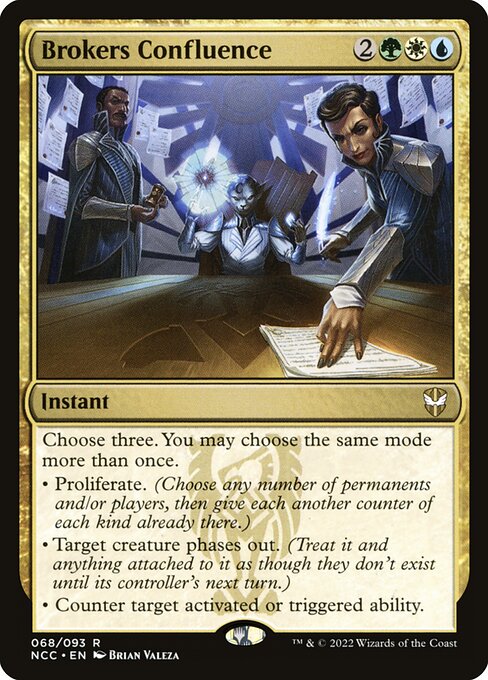
Let’s say we focus on the card Broker’s Confluence which is a fairly recent card. How can we use the association rules to find where this card is being added by players?
We can scan the association rules, by checking the ones where the consequent is Brokers Confluence, and find the ones where the confidence or lift are sufficiently high. (we use a lift of 1.5 as our filter)
It looks like Brokers Ascendancy is being added to decks 50% more when there are cards like the ones above which are themed around the proliferate ability.
This Exercise’s End Step
This is just a short demonstration so one will find that some of the steps could have definitely been streamlined and more data could have been added to make the filtering and analysis easier or more meaningful.
We have gone through a possible application of frequent pattern or association rules mining outside market basket analysis. There might be other novel ways to apply the same technique, but a good understanding of the underlying concept is necessary to understand where and how these techniques can potentially be used.